In-App Notification
In-App Notifications allow you to display customized messages to your contacts directly within your application, without requiring them to check their notification center.
To open a screen of your app from a link, see Opening App Screens.
In-App Notifications are powered by Firebase Cloud Messaging(FCM) but fully styled and configured through your User.com Panel, giving you complete control over appearance and targeting.
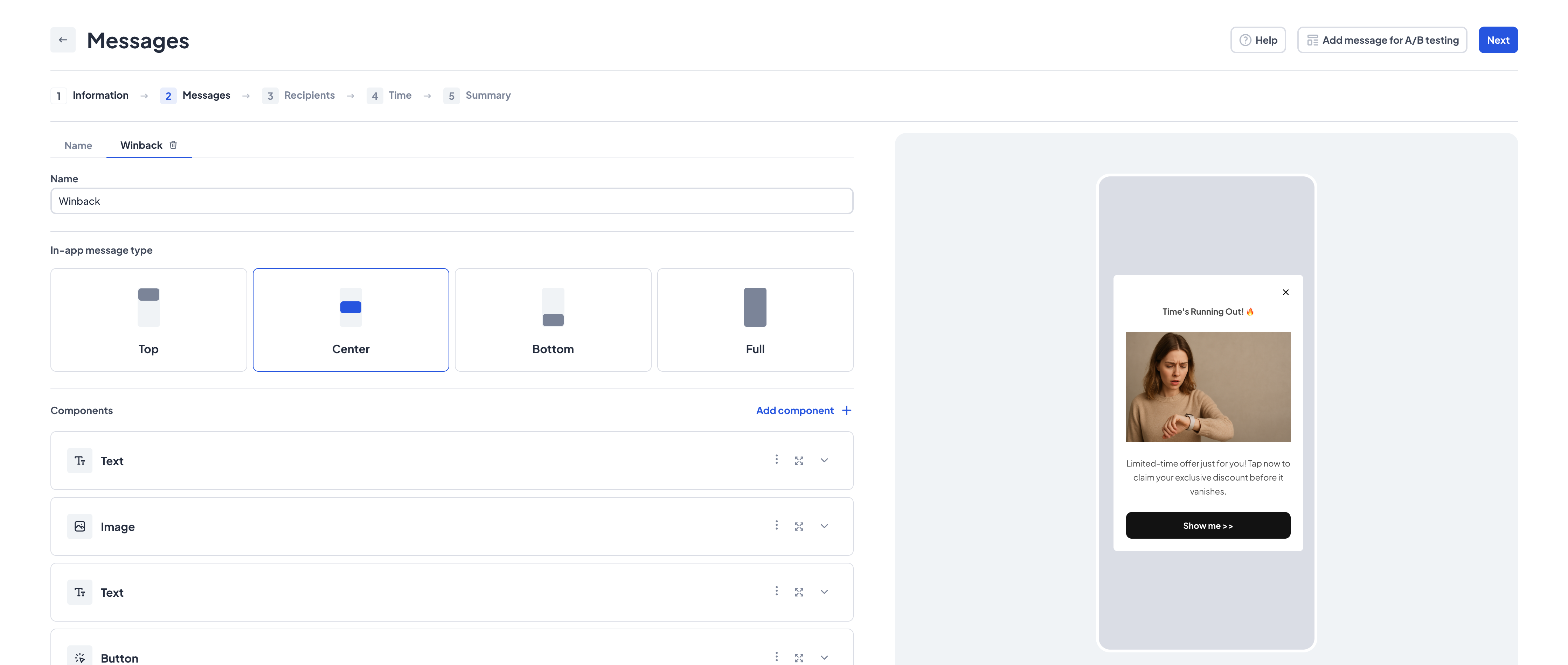
Displaying notification
SDK comes with predefined methods that allow you to display default styled In-App notifications.
In order to build notification you must call buildNotification(); method.
FirebaseMessaging.onMessage.listen(
    (message) {
      if (UserComSDK.instance.isUserComMessage(message.data)) {
          UserComSDK.instance.buildNotification(
              context: context,
              message: message,
              onTap: (type, link) {
                if (type == NotificationType.inApp) {
                  // Define here what to do on notification tap
                  // For example launchUrl and dismiss notification
                }
            },
          );
        }
      },
    );
| Argument | Required | Description |
|---|---|---|
context | Yes | Application build context |
message | Yes | Firebase Remote Message |
onTap | Yes | Void callback to handle interaction with a message |
Customize notification
SDK also allows to customize UI of notifications. Define inside inAppMessageBuilder what to do with incoming data. You can save them to storage or display custom Widget.
if (UserComSDK.instance.isUserComMessage(event.data)) {
    // Displaying messages in [buildNotification]
    context: context,
    message: event,
    onTap: (type, link) {},
    inAppMessageBuilder: (inAppMessage) {
        // Custom inApp message builder
        // You can use it to display inApp message in your own way
    },
}
Handle interactions
Note that when you are using builder, then onTap will have no effect and you must also implement notificationClickedEvent(); and notificationDisplayed(); methods. If Contact interacts with notification, trigger notificationClickedEvent(); method and pass it's id and notificationType.
UserComSDK.instance.notificationClickedEvent(id: 'notificationID', type: NotificationType.inApp)
In order to show notifications to contact, you must call the proper function. Note that context is required. buildNotificationOnMessageReceived(); trigger default UI of In-App Messages.
UserComSDK.instance.buildNotificationOnMessageReceived(context: context);
SDK supports only foreground In-App Messages.
Next step
Read more about Notifications usage: