Product Event
Those are standard User.com Product Events and contain any information you provide or sourced from a Product Feed eg. quantity, price or color. They have predefined event type and can be used to capture Contact’s Ecommerce activity.
info
Read more about Product Events in User.com docs.
Sending product event
To send Product Event, specify productId and eventType.
UserComSDK.instance.sendProductEvent(
    event: ProductEvent(
        productId: '126',
        eventType: ProductEventType.addToCart,
        parameters: <String, dynamic>{
            'price': Random().nextDouble(),
            'ref_number': '222',
            'variant_id': 'qaz123'
        },
    ),
);
| Argument | Required | Description |
|---|---|---|
productId | Yes | Your own identifier for a Product |
eventType | Yes | One of the predefined values |
parameters | No | Key-value map containing product attributes |
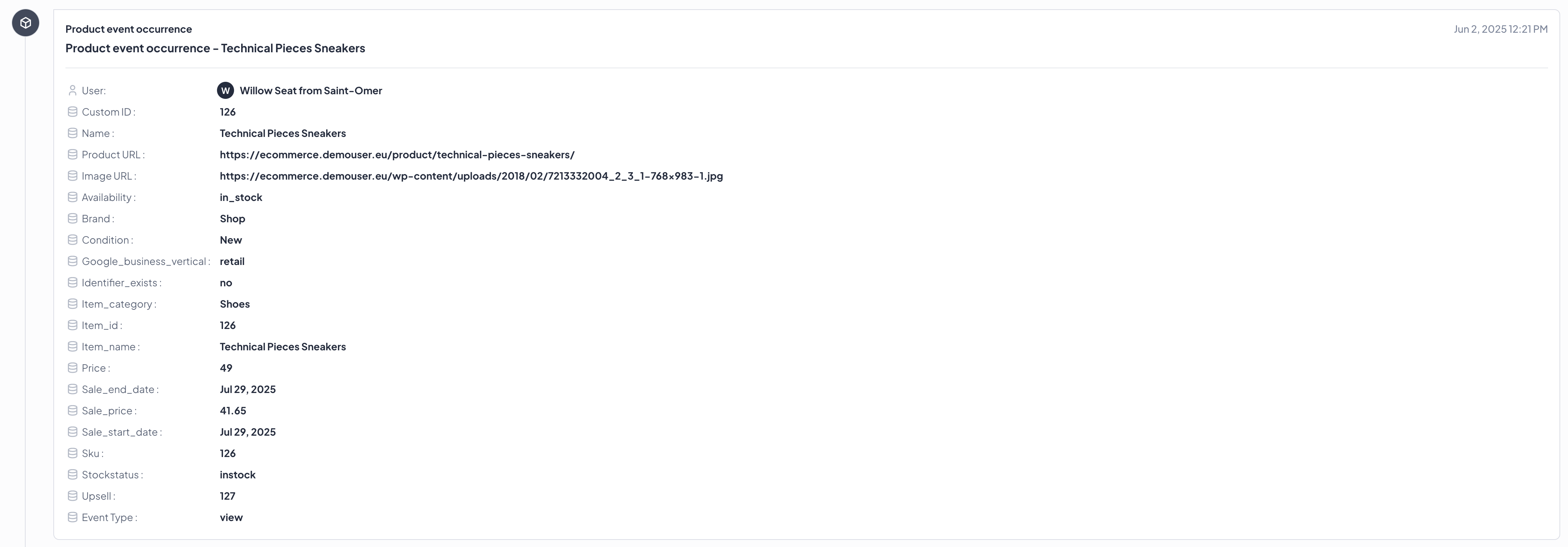
To verify that a Product Event is correctly sent, check Contact timeline in User.com Panel.
Event types
User.com allows to send predefined Product Event types only. Choose from the list below:
- view
- detail
- addToCart
- chceckout
- checkoutOption
- order
- purchase
- reservation
- return
- liking
- addToObservation
- click
- promoClick
- add
- remove
- refund