 User.com REST API Docs
 # User Registrations
When users register on your platform, create their profile in User.com and fire a registration event. This enables welcome sequences, user identification, and analytics from day one.
# Implementation
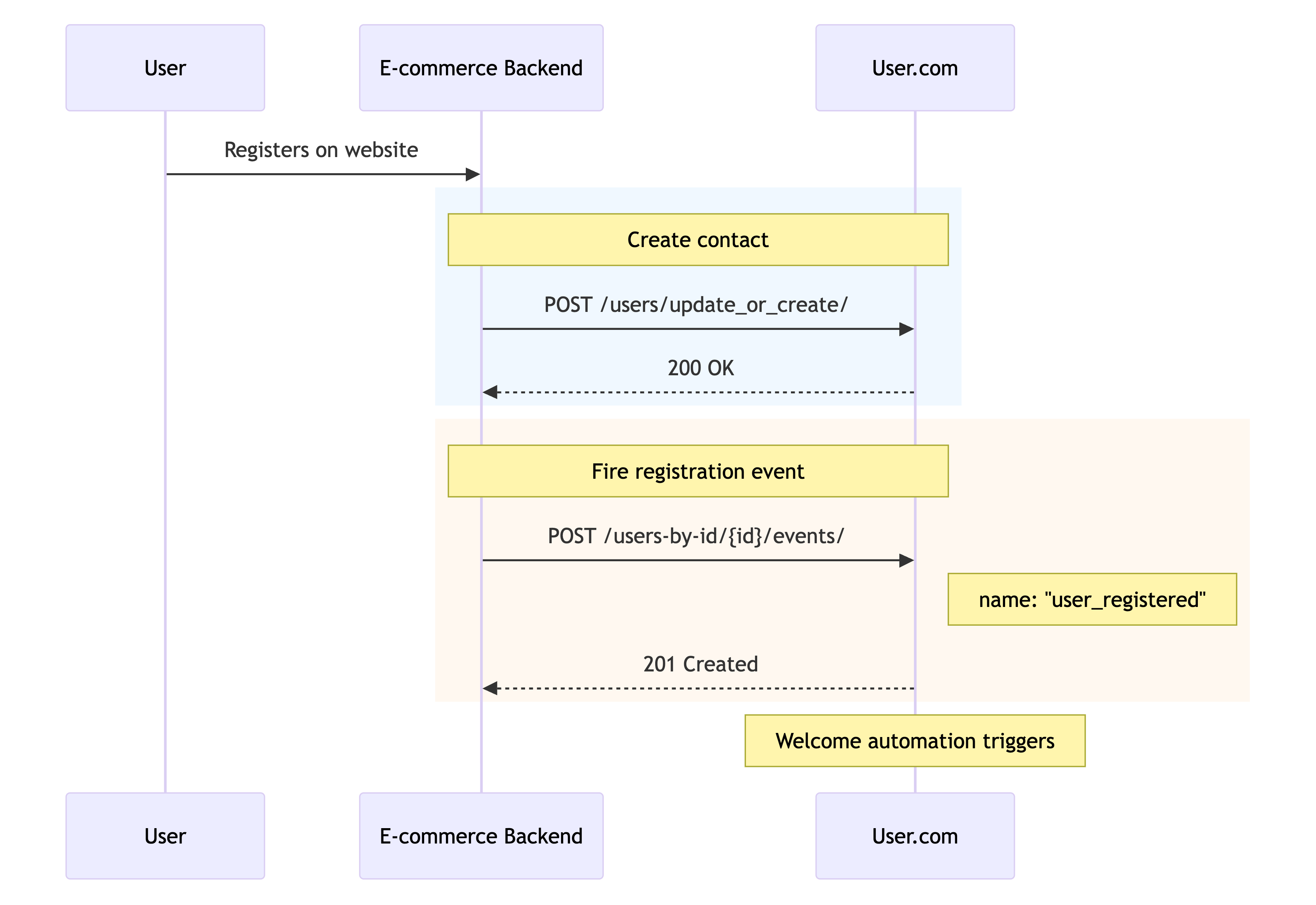
Registration requires two API calls: one to create the contact, one to fire the event.
# Step 1: Create contact
curl -X POST "https://<your_app_subdomain>.user.com/api/public/users/update_or_create/" \
  -H "Authorization: Token <your_64_char_api_key>" \
  -H "Accept: */*; version=2" \
  -H "Content-Type: application/json" \
  -d '{
    "custom_id": "john@example.com",
    "email": "john@example.com",
    "first_name": "John",
    "last_name": "Doe",
    "phone": "+1234567890",
    "registration_date": "2024-01-15T10:30:00Z"
  }'
The custom_id is the user's lowercase email. See Key decisions → Decide on User ID for the recommended identification strategy.
Response: 200 OK with contact ID
# Required fields
| Field | Type | Description |
|---|---|---|
custom_id | string | User's lowercase email (recommended) or database ID |
email | string | User's email address |
# Optional fields
Add any relevant registration data as custom attributes:
| Field | Type | Description |
|---|---|---|
first_name | string | User's first name |
last_name | string | User's last name |
phone | string | Phone number |
registration_date | datetime | When the user registered |
registration_source | string | Where they signed up (e.g., "website", "mobile_app") |
registration_method | string | How they signed up (e.g., "email", "google", "facebook") |
# Step 2: Create registration event
curl -X POST "https://<your_app_subdomain>.user.com/api/public/users-by-id/john@example.com/events/" \
  -H "Authorization: Token <your_64_char_api_key>" \
  -H "Accept: */*; version=2" \
  -H "Content-Type: application/json" \
  -d '{
    "name": "user_registered",
    "data": {
      "registration_method": "email",
      "source": "signup_form",
      "account_type": "free"
    }
  }'
Response: 201 Created with event ID
The user_registered event triggers welcome automations in User.com—onboarding sequences, first-purchase incentives, or engagement campaigns.
# Registration and consent
Registration and consent are separate concerns. A user can register without granting marketing consent, or grant consent without registering (e.g., newsletter signup).
Recommendation: Build a unified consent management system on your e-commerce side that handles all consent changes—regardless of whether they come from registration forms, account settings, or other sources. Keep registration logic focused on account creation. Let your consent management system handle marketing permissions independently.
If your registration form includes a marketing consent checkbox, your consent management system should handle that consent the same way it handles consent from any other source. See Marketing consents for implementation details.
# Verification
Test your registration implementation:
- Contact creation: Verify new contacts appear in User.com with correct data
- Event tracking: Check timeline shows
user_registeredevents - Automation triggers: Test welcome sequences fire on registration
Network monitoring: Filter for /users/update_or_create/ requests — expect 200 OK responses.
# Next steps
- Marketing consents — Consent management and compliance
- Order tracking — Revenue attribution and purchase data